Mempelajari Aksara Lontarak

Buku ini berisikan tentang bagaimana cara memakai bahasa bugis dengan benar sesuai kaidah bugis yang benar. Sesuai dengan Judulnya, kita dapat mempelajari cara memakai ejaan Lontara dengan benar - DeaZ.

Morfologi dan sintasi Bahasa Bugis

Buku yang saya temukan di lemari rumah ntah apa isinya yang jelas buku ini sangat baik untuk kita pelajari dan buku ini juga membahas tentang tanah OGI - DeaZ

Kamus Bahasa Bugis

Tak kalah Pnetingnya kita tidak boleh lupa akan hal-hal yang sepeleh. jangan lupakan sesuatu yang telah di ajarkan sejak dari kecil, JANGAN LUPAKAN BAHASAMU SENDIRI - DeaZ

I LA GALIGO

I La Galiogo Merupakan Cirita Bugis kuno yang akan kita simat bermasa. Apa-apakah itu, masih banyak hal yang beluk kita ketahui. Olehnya itu mari kita Simak buku ini - DeaZ.

Materi SMP - Ada Pappaseng

Banyak verita yang dapat kita ambil hikmahnya di buku ini. Cuman, apakah kita masih bisa membaca buku ini. apakah kita masih tau' membaca aksara Lontarak....??? - DeaZ

Tampilkan postingan dengan label Multimedia. Tampilkan semua postingan

Selasa, 27 Desember 2011

AIMP v3.00 Build 970 RC3

An advanced multimedia player That includes an audio converter, recorder, and tag editor. Includes an easy to use interface, small size and minimal use of system resources.

Features:

Multiformat Playback: MP1, MP2, MP3, MPC, MP +, AAC, AC3, OGG, FLAC, APE, WavPack, Speex, WAV, CDA, WMA, S3M, XM, MOD, IT, MO3, MTM, UMX
Crystal-clear sound, technology of reproduction essentially differs from Winamp and WMP;
Internet Radio - Listen and capture Internet-radio stations to OGG / WAV / MP3 formats
Online Radio Browser - View catalogs of Shoutcast and Icecast services
CoverArt Downloader - Search and download album covers from the Internet
Tag Editor - You can easily edit tags of audio files and rename groups of files, sort files by template or apply tags to a group of files
Audio Library - Represents the music files organizer, the which allows you easily organize your music, set marks for Listened Tracks, keeping playback statistics.
Great functionality and user-friendly interface
Creating bookmarks and playback queue
18-band equalizer and built-in sound effects - Reverb, Flanger, Chorus, Pitch, Tempo, Echo, Speed
32-bit audio processing - For the best quality!
Work with multiple playlists - While one plays - you work with another
Support for plugins - You can add new utils or extend already existing
Multi-user mode support - Are Several users working with one computer? This is no problem!
Multilanguage interface
Hotkeys - Configure local and global hotkeys as you wish!
Files search - Search files on all opened playlists
Flexible options programm
alarm Clock
Auto shutdown the computer - You can sleep while listening favorite music, just set the timer to shutdown the computer at given time or on playback finish
 
 
  If You klick download, wait 5 sekon and klick skip ad


Sabtu, 17 Desember 2011

Picasa v3.9


Picasa automatically finds and organizes all of your pictures 
including: jpeg, tiff, bmp, psd, and standard camera movie files. Sending pictures 
with e-mail used to mean five steps just to get it right.

Picasa lets you pick the size and then automatically attaches your pictures. Browse through all your pictures and view slideshows of your albums with the click of a button. Enhance, fix red-eye, and even crop without losing data or permanently changing your original picture.

Rabu, 26 Oktober 2011

Free Ringtone Maker v.2.1.0.182

Free Ringtone Maker is an extremely simple and handy Windows software for making your own free ringtones.
Make Your Own Ringtones in 3 Easy Steps
 
Step 1: Pick a Song
To make your own free ringtones, just click button “Choose a Song from My Computer”.
Step 2: Cut Out the Best Part
In this step, you´ll select the best part of the song for your ringtone. Just drag the sliders to set the start and end point of the selection.
You can pre-listen the ringtone using the player buttons. You can also add some fade-in and fade-out effects to your ringtone.
Step 3: Get the Ringtone!
Just click button Save Ringtone to My Computer. Then you can choose a location to save your ringtone file.
 
Translate in indonesian
 
Langkah 1: Pilih Lagu yang
Untuk membuat nada dering Anda sendiri gratis, cukup klik tombol "Pilih Lagu dari My Computer".

Langkah 2: Cut Out Bagian Terbaik
Dalam langkah ini, Anda akan memilih bagian terbaik dari lagu untuk nada dering Anda. Hanya drag slider untuk mengatur awal dan titik akhir seleksi.

Anda dapat pre-mendengarkan nada dering menggunakan tombol pemutar. Anda juga dapat menambahkan beberapa fade-in dan fade-out efek ke nada dering Anda.

Langkah 3: Dapatkan Ringtone itu!
Cukup klik tombol Simpan Ringtone ke My Computer. Kemudian Anda dapat memilih lokasi untuk menyimpan file nada dering Anda.


Blender For Windows v.2.60a

Blender, the open source software for 3D modeling, animation, rendering, post-production, interactive creation and playback.

Blender has proven to be an extremely fast and versatile design instrument. The software has a personal touch, offering a unique approach to the world of Three Dimensions. Use it to create TV commercials, to make technical visualizations, business graphics, to do some morphing, or design user interfaces. You can easy build and manage complex environments. The renderer is versatile and extremely fast. All basic animation principles (curves & keys) are well implemented.
In a few sentences, what is the GPL?You are free to use Blender, for any purpose
You are free to distribute Blender
You can study how Blender works and change it
You can distribute changed versions of Blender In the last case you have the obligation to also publish the changed source code as GPL.
Can I sell my Blender creations?
Anything you create with Blender – whether it’s graphics, movies, scripts, exported 3d files or the .blend files themselves – is your sole property, and can be licensed or sold under any conditions you prefer.
So I can make games without having to worry about the GPL, right?
Games created in Blender (.blend files) are program output and therefore not covered by the GPL. You can consider them your property, and license or sell them freely.
With stand-alone games however, any data that is included inside the actual stand-alone executable is covered by the GPL. If this is a problem then you should set up the stand-alone player so it reads from external .blend files. A common practice is to include a “please wait, loading…” scene in the standalone, and read level files externally.
The Blender standalone player or the game player can be sold commercially too, but you have to make it available under the GPL conditions.
So I own the copyright to all output?
In almost every circumstance for blender, only the code and other GPL’d files themselves are covered. Any output of such material is copyright the person who produced the output, in this case, the artist.

Rabu, 17 Agustus 2011

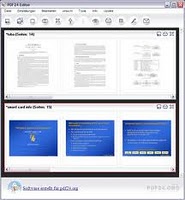
PDF24 Creator

File size: 9.6 MB (freeware)
Sistem operasi: Windows XP/Vista/7
Melengkapi solusi dan bebas dalam membuat dokumen dalam PDF atau mengubah file / dokumen ke bentuk PDF dengan mudah dan cepat.

Share

Twitter Delicious Facebook Digg Stumbleupon Favorites More